Introduction: The Tipping Point of AI Accessibility
The year 2025 marks a pivotal moment in the history of artificial intelligence. Powerful, complex tools have become democratized, placing them into the hands of the everyday user. The true revolution isn’t just in the sophistication of the models but in the availability of robust, free tiers that serve as comprehensive learning environments.
For beginners, the key is to cultivate a foundational AI literacy by engaging with a diverse set of applications. This structured article outlines ten free AI tools—from creative companions to productivity powerhouses—that offer the most intuitive entry points. We have replaced speculative names with real-world examples that provide significant value on a zero-cost tier, making them essential starting points for your AI journey.
Section 1: The AI Landscape for Beginners in 2025
The AI ecosystem in 2025 is defined by accessibility. Major companies are locked in a battle for user base, resulting in incredibly generous free tiers that benefit the beginner:
-
Multimodality is the Standard: Tools like Gemini and Copilot no longer just handle text; they seamlessly process images, audio, and code.
-
Intuitive Interfaces: Complexity is hidden behind natural language prompts. You can now use AI to generate data visualizations or 3D assets simply by typing.
-
Cross-Platform Integration: AI features are integrated directly into platforms you already use (e.g., Google Workspace, Microsoft Office), lowering the barrier to adoption.
The following ten tools represent the best of this accessible, powerful, and free AI frontier.
The 10 Essential Free AI Tools for Beginners
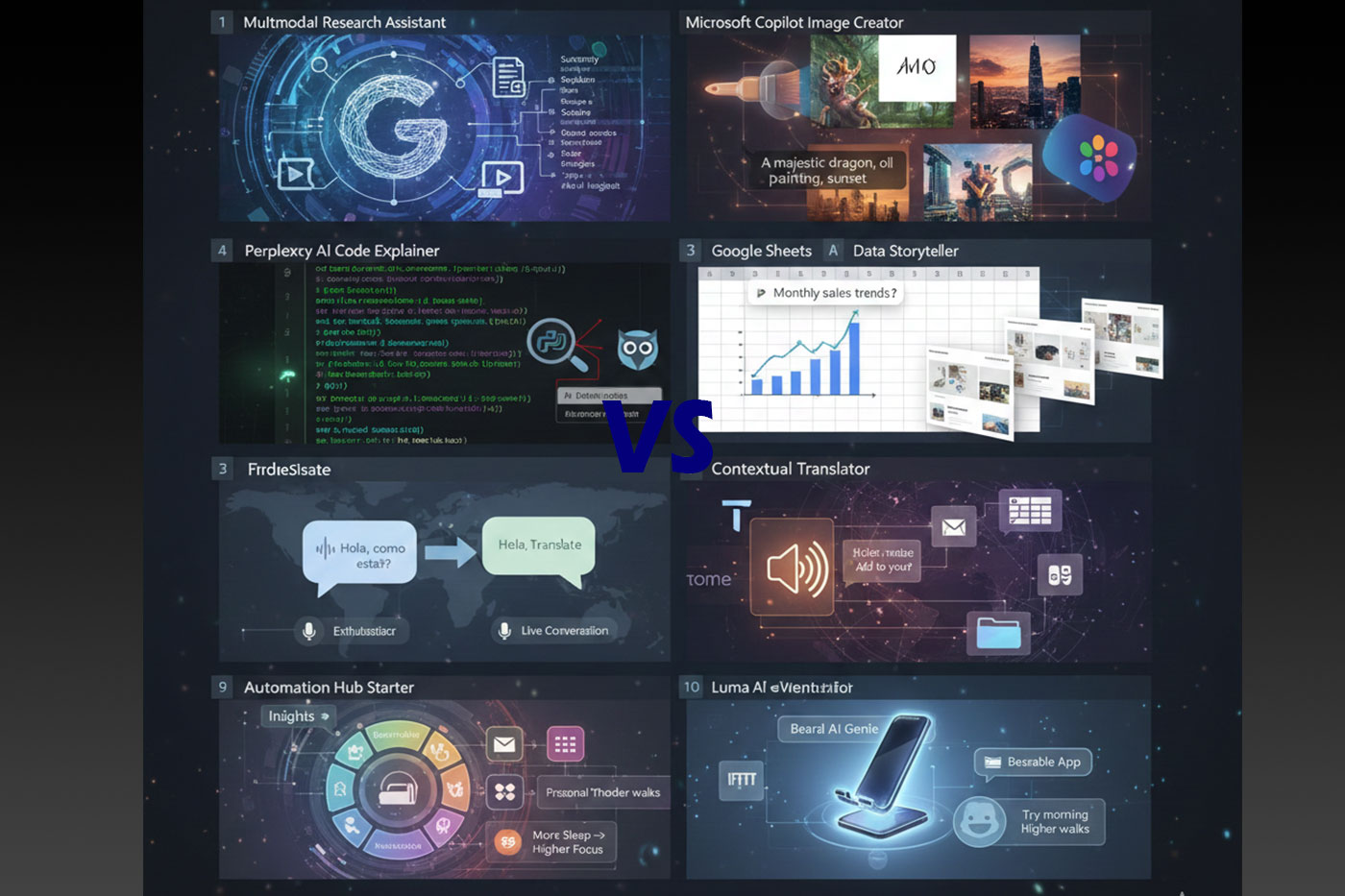
1. The Multimodal Research Assistant: Google Gemini (Advanced Free Tier)
Category: Knowledge Curation & Synthesis (LLM)
In 2025, a flagship LLM like Google Gemini (or a similar product like ChatGPT) is the ultimate starter tool. Its free tier offers extensive multimodal capabilities, allowing beginners to input text, upload files, and even analyze images (like charts or graphs) within the same prompt. Gemini excels at synthesizing complex information across multiple formats into structured summaries, making it indispensable for research and learning.
-
Key Feature for Beginners: Seamlessly processes and connects information from text, image, and video content (via YouTube integration), creating structured study guides.
-
Why Try It in 2025: It teaches you how to prompt for synthesis, not just simple generation, a critical skill for advanced AI use.
-
Beginner Project Idea: Upload two different research PDFs and provide a link to a relevant YouTube video, then ask Gemini to create a single, cohesive 500-word executive summary that addresses a specific comparison point between the three sources.
2. The Hyper-Realistic Image Generator: Microsoft Copilot Image Creator (Powered by DALL-E 3)
Category: Generative Art & Design
Unlike some competitors that heavily restrict free access, the Microsoft Copilot Image Creator (accessible via the web and the Copilot app) offers a consistent, robust free tier powered by the state-of-the-art DALL-E 3 model. It is beginner-friendly because it understands complex, conversational prompts better than earlier models, meaning your prompts don’t have to be overly technical. Its free credits reset daily, encouraging regular practice.
-
Key Feature for Beginners: Exceptional understanding of natural language prompts and the ability to accurately render text within images—a task that historically challenged AI.
-
Why Try It in 2025: It is one of the most powerful free image generators, quickly moving you beyond basic prompting into compositional and stylistic direction.
-
Beginner Project Idea: Generate ten different, high-quality illustrations for a children’s book concept, focusing on consistent character design by refining the prompt iteratively (e.g., “A fox wearing a blue scarf, sitting on a wooden bench, illustrated in a watercolor style”).
3. The Data Storyteller: Google Sheets (Explore Feature)
Category: Data Analysis & Visualization
You don’t need dedicated software to begin analyzing data. Google Sheets’ built-in Explore feature uses AI to analyze your dataset and generate charts and insights based on simple language. While the full power is enhanced by Gemini integration, the basic “Ask a question about this data” function is entirely free and transformative. It eliminates the need for manual chart creation and basic formula writing.
-
Key Feature for Beginners: Converts natural language queries (e.g., “Show me the monthly average spend”) into complex data manipulations and provides instantaneous visualizations.
-
Why Try It in 2025: It breaks the technical barrier to basic data literacy, allowing immediate analysis of simple datasets like personal budgets or survey results.
-
Beginner Project Idea: Upload a month of personal spending data (exported as a CSV), open the Explore panel, and ask the tool to identify the day of the week with the highest average expenditure.
4. The Code Explainer: Perplexity AI (Free Tier)
Category: Programming & Development Assistance
While specific coding assistants are often subscription-based, general-purpose knowledge engines like Perplexity AI offer specialized, high-quality services in their free tiers. Perplexity, known for citing its sources, excels at explaining and troubleshooting code snippets. A beginner can paste a tricky piece of Python or JavaScript and ask: “Explain this function line-by-line,” or “Why is this returning an error, and what’s the fix?”
-
Key Feature for Beginners: Detailed, cited, and contextualized explanations for code snippets, acting as a non-judgmental, on-demand tutor.
-
Why Try It in 2025: It accelerates the learning curve for programming fundamentals by providing immediate, accurate feedback that a static online search cannot.
-
Beginner Project Idea: Find a 50-line basic coding project (like a calculator or a simple game) on GitHub and use Perplexity to explain the purpose of every single component and library used.
5. The Presentation Generator: Tome (Limited Free Tier)
Category: Productivity & Content Structuring
Tome (or similar tools like Gamma) represents the future of document and presentation creation. While the paid tier offers unlimited creation, the free tier provides enough credits or basic access to generate several foundational slide decks from a single prompt. You provide a topic and a desired length, and the AI drafts a complete content structure, suggested headings, bullet points, and often even basic visual layouts.
-
Key Feature for Beginners: Transforms a simple concept into a fully structured, content-rich presentation outline and initial draft, eliminating writer’s block.
-
Why Try It in 2025: It automates the most time-consuming part of preparation—the initial structuring and content drafting—allowing you to focus entirely on refining the message and delivery.
-
Beginner Project Idea: Use your free credits to draft a complete 10-slide outline for an executive summary on “The Future of Remote Work” and experiment with different tones (e.g., “Formal” vs. “Witty”).
6. The Contextual Translator: Google Translate (Conversation Mode)
Category: Language & Communication
Google Translate is no longer just a word lookup tool; its free Conversation Mode (available on the app) is a real-time, AI-powered communication facilitator. For beginners, it offers a risk-free way to practice speaking a new language. You speak into the microphone in English, and it instantly translates and speaks your words in the target language, and vice-versa, making the conversation seamless.
-
Key Feature for Beginners: Real-time, bi-directional conversational translation, simulating a true, immediate language exchange.
-
Why Try It in 2025: It bridges the gap between studying vocabulary and having practical, spontaneous conversations, building real-world confidence.
-
Beginner Project Idea: Find a friend also learning a language, or speak to the app itself, and sustain a five-minute conversational role-play where you negotiate a hypothetical travel itinerary or order a meal.
7. The Ethical Audio Synthesizer: NaturalReader Free
Category: Audio & Content Creation (Ethical T-T-S)
For creating content without needing professional recording equipment, NaturalReader (or Speechify) offers a robust free Text-to-Speech (TTS) service. The free tier provides access to high-quality, natural-sounding voices (not robotic) for reading documents, essays, or scripts. This is perfect for beginners creating study materials, video narration drafts, or for accessibility purposes.
-
Key Feature for Beginners: High-quality, non-robotic voice generation from text, easily accessible via a web browser or app.
-
Why Try It in 2025: It introduces the foundational skills of audio production and voice direction, allowing you to narrate your own content quickly and clearly without needing a microphone.
-
Beginner Project Idea: Copy a script for a three-minute informational video (e.g., “How to use a specific feature in Excel”) and generate the full, professional-sounding voiceover using a free voice.
8. The Automation Hub Starter: IFTTT (If This Then That)
Category: Workflow Automation & Integration
IFTTT is a crucial stepping stone into the world of AI automation. The free tier allows you to create “Applets”—simple, powerful rules connecting two or more web services. This teaches the fundamental ‘If This, Then That’ logic that underpins all advanced AI and productivity workflows. You can connect your social media, email, smart home, and cloud services easily.
-
Key Feature for Beginners: A graphical, block-based interface for connecting two disparate web apps and creating a simple, functional automation loop.
-
Why Try It in 2025: Understanding automation logic is essential for boosting future productivity, allowing you to delegate repetitive tasks to AI.
-
Beginner Project Idea: Set up an Applet that automatically saves all email attachments from a specific sender (e.g., your bank) directly into a designated folder in Google Drive or Dropbox.
9. The Personal Wellness Co-Pilot: Bearable App (Mood/Factor Tracker)
Category: Personal Productivity & Health
The free tier of the Bearable app (or similar correlational tracking apps) is a practical, data-driven personal AI tool. It allows you to track mood, symptoms, and various daily “factors” (sleep, diet, activity). The AI’s power lies in its correlational insights—it automatically identifies which factors most strongly predict your better (or worse) moods. This is AI used for self-optimization.
-
Key Feature for Beginners: AI-driven correlation reports that identify actionable relationships between your daily habits and your emotional or physical state.
-
Why Try It in 2025: It teaches the principle of using AI to optimize personal performance and well-being, translating raw data into meaningful life changes.
-
Beginner Project Idea: Track your sleep quality, caffeine intake, and focus levels for two weeks, and use the Bearable insights to generate a simple report identifying the optimal amount of sleep for your peak focus.
10. The 3D Prototyper: Luma AI Genie (Text-to-3D)
Category: Spatial Design & Prototyping
With the rise of spatial computing and 3D printing, text-to-3D models are becoming an accessible entry point. Tools like Luma AI’s Genie (often offering limited free credits or access) allow users to describe a simple object (e.g., “A modern, minimalist coffee mug with an angular handle”) and the AI will generate a Simplified 3D Mesh Model. This democratizes access to product design and creative 3D asset generation.
-
Key Feature for Beginners: Generates basic 3D assets (which can often be downloaded) from natural language description, bypassing the steep learning curve of traditional CAD software.
-
Why Try It in 2025: It connects the generative power of AI to the physical and spatial digital world, introducing concepts of modeling and dimension.
-
Beginner Project Idea: Design three variations of a small, functional household object (like a headphone holder clip or a unique chess pawn) and compare the AI-generated designs.
Conclusion: Starting Your AI Journey
The ten free AI tools listed above are the fundamental building blocks of future digital competency. They span the essential domains of modern work: communication, creation, analysis, and automation. By offering powerful features at no cost, they eliminate the financial barrier to entry.
Your goal in 2025 should be to move beyond being a passive consumer and become an active director of AI. Start small, try one tool, and complete one simple project. The future of work belongs not to the AI, but to the individuals who skillfully wield its free and accessible power.
Would you like me to elaborate on the free features and beginner projects for any of these specific tools?